PowerPoint

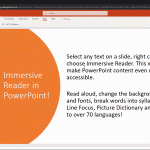
Immersive Reader in PowerPoint

Immersive Reading PowerPoint

Learning abilities and age can have an impact in the way people are able to read text and process information on digital tools. Moreover, a stressful work routine can make it harder to concentrate and increase the chances of making errors that can affect workplace performance. A more immersive reading experience can help avoid these …


How to Make a Cohort Analysis Chart in PowerPoint

Cohort Analysis it’s a time-tested segmentation technique used to understand user behavior and recently adopted by authors of Customer Development and Lean Startup methodologies. In Running Lean and Lean Analytics books there are mentions to cohort analysis since this segmentation technique can help entrepreneurs to understand the behavior of early adopters of your product or startup …

How to Group Shapes in PowerPoint with CTRL-G

CTRL-G is a very useful keystroke in PowerPoint that lets us group shapes easily. Grouping shapes allows us to manage the group of shapes more easily than each isolated shape. For example, if we are creating a process flow diagram in PowerPoint and need to make custom steps or events with titles and content, then …

Annotation Pen in PowerPoint

If you need to emphasize a word or phrase during a presentation you can use the PowerPoint’s virtual annotation “pen”. In order to use this annotation pen in PowerPoint during a slideshow you need to open your PPT in Slide Show mode or start it using F5. Then right click on the slide where you …

PowerPoint Prototyping Toolkit: Create UI Designs And Wireframes In PowerPoint

Most people recognize PowerPoint as an application for creating presentations; however, many aren’t unaware that PowerPoint is also capable of another powerful function, i.e., to create prototype models for applications, wire frames, website designs, etc. It is believed that PowerPoint was also used to design famous Microsoft products such as the Internet Explorer, Windows Home …